
Last Updated: November 15, 2026
Quick Summary
TRICARE beneficiaries can get a Motif Roam through insurance by confirming their plan is active, getting a written provider order with a valid NPI, and verifying the model is covered. General Home Medical Supply handles the authorization and ships the pump to your home at no charge with free shipping.
- Confirm your TRICARE plan is active and identify your coverage region before anything else.
- Ask your healthcare provider for a written order that includes a valid National Provider Identifier.
- Verify in writing that the Motif Roam is on your plan’s covered equipment list.
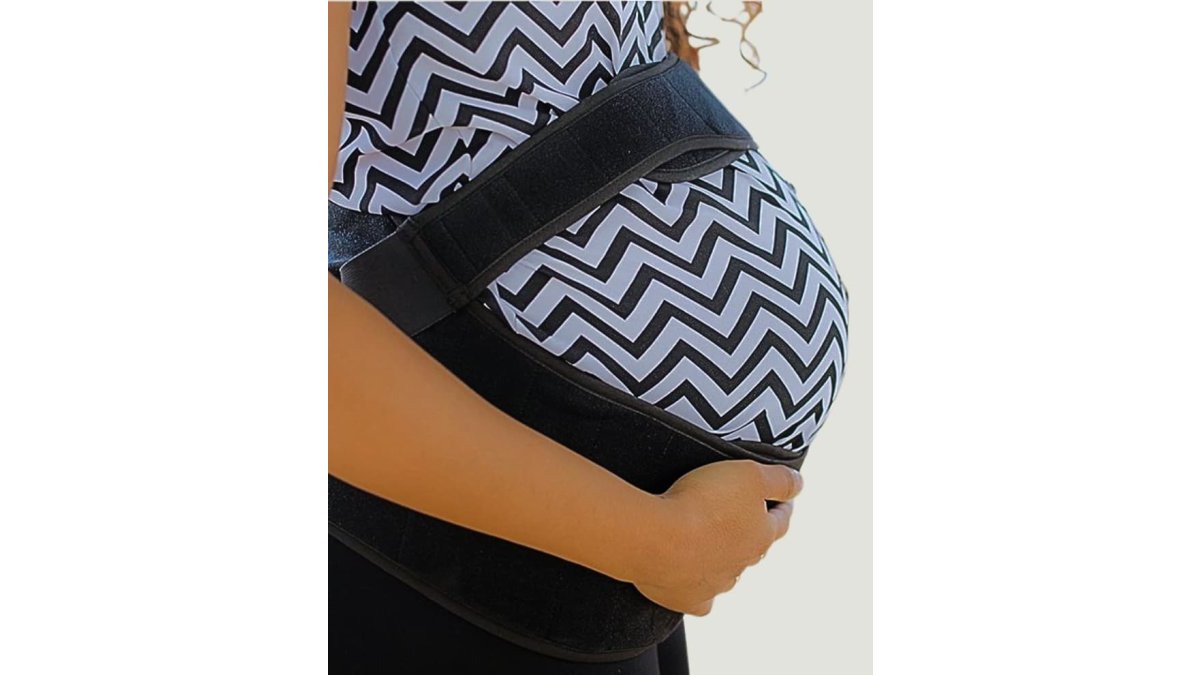
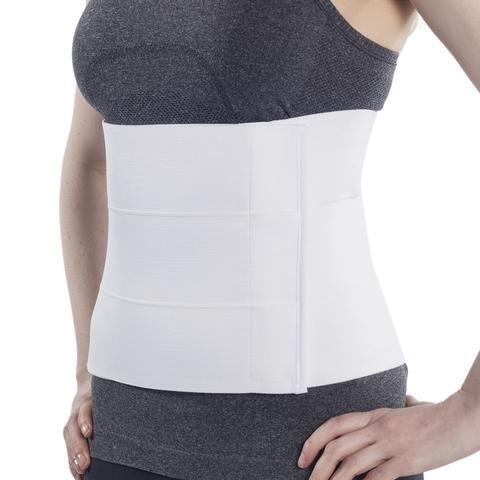
- General Home Medical Supply manages the authorization and ships the pump and maternity back support to your home at no charge.
Table of Contents
- What Is the Motif Roam and Why Hands-Free Pumping Matters
- Does TRICARE Cover a Breast Pump?
- Checklist: Documents You Need for Insurance Authorization
- Step-by-Step: How to Get a Motif Roam Through Insurance
- Motif Roam Through Insurance Reviews: What Users Report
- What to Do If Your Claim Is Denied or the Roam Is Unavailable
- Start Your Free Insurance Coverage Check for a Hands-Free Pump and Back Support
- Frequently Asked Questions
What Is the Motif Roam and Why Hands-Free Pumping Matters
U.S. Office on Women’s Health breastfeeding and pumping guidance explains that many parents return to work or need to pump at home, and a hands-free pump can make that routine much easier. For TRICARE beneficiaries, the real question is often not whether a hands-free pump is useful, but how to get one through insurance without paying out of pocket.
General Home Medical Supply focuses on that question. We handle insurance authorization for eligible breast pumps and maternity back support, then ship the equipment to your home.
A hands-free pump fits inside a bra and lets you move around while you pump. Many users find this helps with multitasking, feeding a toddler, or working from home. Understanding how a hands-free pump fits your daily routine can help you before you start the insurance process.
Does TRICARE Cover a Breast Pump?
TRICARE coverage for breast pumps depends on your plan, your provider’s order, and your specific benefits. Coverage for a breast pump depends on your plan, and the details, including which models are covered, vary.
Here is what to check first:
- Confirm you have an active TRICARE plan.
- Ask your healthcare provider whether a breast pump is medically needed.
- Find out what your plan covers for a standard pump.
- Ask whether a hands-free or wearable model is covered.
Coverage rules can change, so confirm current details with TRICARE directly or through your health plan.
What TRICARE Beneficiaries Should Know About Coverage
Coverage is often tied to your plan and your provider’s documentation. A hands-free model may require additional approval, depending on your plan. Ask about these points before you order:
- Whether the Motif Roam is on the covered list for your plan
- Whether there is an upgrade fee
- How long the authorization takes
- Whether a second pump is covered for the same pregnancy
These questions help you avoid surprises. If your plan does not cover the model you want, ask what alternatives are available.
Checklist: Documents You Need for Insurance Authorization
Having these documents ready can speed up the authorization process:
- Your TRICARE ID card, with the member number and group details
- Your prescription or order from your healthcare provider
- Your provider’s name, phone number, and National Provider Identifier (NPI)
- Your date of birth and current shipping address
- Your due date, if you are pregnant, or the date of delivery
- Any previous claim numbers related to breast pumps or maternity support
Keep copies of everything you send. If a request is denied, these records help you appeal.
Step-by-Step: How to Get a Motif Roam Through Insurance
This walkthrough is built for TRICARE beneficiaries who want a hands-free pump and, if needed, maternity back support. General Home Medical Supply handles the insurance authorization for eligible breast pumps and maternity back support, then ships the equipment to your home.
Step 1: Confirm your TRICARE plan is active and identify your coverage region.
Benefits are administered through regional contractors, so confirm which one handles your area.
Step 2: Ask your healthcare provider for a written order.
A breast pump typically requires an order from a provider, so check your plan’s requirements.
Step 3: Verify the Motif Roam against your plan’s covered equipment list.
This is an important step to complete before ordering. Ask your contractor directly: Is the Motif Roam on the covered list for my plan?
Step 4: Assemble your documents before you start the request.
Use the checklist in the previous section. The items that most often cause delays are a missing NPI, an order that does not match the requested equipment, and a shipping address that differs from the address on file with TRICARE.
Step 5: Submit your request and let the authorization run.
Submit your order and insurance information so the authorization can begin. General Home Medical Supply manages the back-and-forth with your contractor, including any requests for additional documentation. Authorization timelines vary by plan and by how complete your paperwork is.
Step 6: Confirm approval details before shipment.
When approval comes through, confirm the approved model, whether any upgrade charge applies, and the shipping address. If your plan approved a different model than the Roam, decide whether to accept the covered model or ask about an upgrade before the order ships.
Step 7: Receive your products at home.
The Motif Roam and maternity back support ship to your home. Inspect the boxes on arrival, confirm the pump, flanges, and charging accessories are included, and check the back support sizing.
Watch out: Confirm that your provider is TRICARE-authorized and that the NPI on the order is correct before you submit it.
Here is a quick summary of the main steps TRICARE beneficiaries follow to get a hands-free pump through insurance.
| Step | What to do | Time or frequency |
|---|---|---|
| 1. Confirm plan | Log in to the TRICARE portal or call the ID card number | Before anything else |
| 2. Get a written order | Ask your provider for an order with a valid NPI | Before submitting |
| 3. Verify the model | Confirm the Motif Roam is on your plan’s covered list | Before ordering |
| 4. Assemble documents | Gather the checklist items and keep copies | Before starting the request |
| 5. Submit request | General Home Medical Supply manages authorization | Timing varies by plan |
| 6. Confirm approval | Check the model, any upgrade charge, and the address | Before shipment |
| 7. Receive at home | Inspect boxes and confirm accessories are included | On arrival |
Motif Roam Through Insurance Reviews: What Users Report
Many users say the Motif Roam is comfortable and easy to use once they learn the fit. Some report that it is quieter and more discreet than a standard pump, which makes it easier to use at work or in public.

Others mention a learning curve. Getting a good seal and finding the right settings can take a few sessions. Battery life and setup are also common topics in user feedback.
Reviews vary, and not every experience will match. Use these reports as a guide, then check the product details that matter most for your routine.
What to Do If Your Claim Is Denied or the Roam Is Unavailable
A denial is not the end of the process, and an unavailable model does not mean you go without a pump. The key is to find out which of three situations you are in, because each has a different fix.
Situation 1: The request was denied for a paperwork or eligibility reason.
This is the most common and the most fixable. Ask for the denial reason in writing and match it to a specific cause:
- Missing or incorrect provider information. The order may lack an NPI, list a provider who is not TRICARE-authorized, or describe equipment that does not match the request. Ask your provider’s office to correct and resubmit the order.
- Timing problem. Some plans have rules about when during pregnancy an order can be placed or when a pump can be delivered. Confirm the timing rule with your contractor and resubmit when you are inside the window.
- Frequency limit. If you received a pump for a previous pregnancy, your plan may limit coverage to one pump per pregnancy. Confirm whether the limit applies and whether a new pregnancy resets it.
- Address or eligibility mismatch. A shipping address that differs from the address on file, or a lapse in plan enrollment, can trigger a denial. Update your record with your contractor first, then resubmit.
Situation 2: The request was denied because the Motif Roam is not a covered model.
This is a coverage decision, not a paperwork error, and the path forward depends on your plan. Ask your contractor two questions in writing: Is a hands-free or wearable pump covered at all under my plan, and is there a covered alternative that provides similar hands-free use?
Situation 3: The Roam is temporarily unavailable.
Supply can vary by model and by contractor. If the Roam cannot be sourced through your plan, ask whether the authorization can be transferred to a comparable covered model, and confirm the features that matter most to you, hands-free fit, portability, and suction settings, so the substitute is a real match rather than a downgrade.
How to appeal a denial.
TRICARE has a formal process for reconsidering a denied claim, and the first level is typically a request for reconsideration with additional documentation. Your provider may be able to supply clinical documentation that supports the request. Keep a written log of every call, the date, the representative’s name, and any reference number, and attach copies of your original order and the denial letter to the appeal.
Watch out: If you pay an upgrade charge or any other amount before confirming in writing that your plan approved the model, you may not be able to recover that amount if the approval is later reversed. Confirm the approval details first, then proceed.
If you are unsure which situation applies to you, start with a free insurance coverage check. General Home Medical Supply handles the authorization for eligible pumps and maternity back support, then ships everything to your home at no charge with free shipping, and can help you identify the next step if a request is denied.
Start Your Free Insurance Coverage Check for a Hands-Free Pump and Back Support
Getting a hands-free pump through TRICARE does not have to be complicated. Learn how to get a Motif Roam through insurance and see the coverage steps in detail. You can also check whether TRICARE covers a Motif breast pump for your specific plan.
If you want to compare options, explore hands-free breast pumps with Partnership HealthPlan CA coverage to see how eligibility works for that plan. When you are ready to get started, view hands-free breast pumps with free home delivery, and if you also need support, find out how a maternity support belt can be covered and delivered to your home.
General Home Medical Supply handles the authorization for eligible pumps and back support, then ships everything to your home. Check your insurance coverage today.
Frequently Asked Questions
Can I get a Motif Roam breast pump through insurance?
Coverage for the Motif Roam depends on your specific health plan, your eligibility, and whether the pump is on your plan’s list of covered options. General Home Medical Supply can check your coverage and handle the authorization request with your insurer. If the Roam is not fully covered, you may have options or an upgrade fee to consider, and we will explain any costs before anything ships. Your next step is to check your coverage so you know what your plan allows.
Does TRICARE cover a hands-free breast pump?
TRICARE beneficiaries may be eligible for a breast pump through their benefits, and coverage rules can vary by plan and by the type of pump requested. Hands-free and wearable pumps may be covered in some situations, but this depends on your plan’s requirements and your provider’s documentation. Contact your TRICARE plan or check the official TRICARE website for current coverage rules. We can help you verify your benefits and request authorization for an eligible pump.
What information do I need to order a breast pump through insurance?
Most insurance authorizations ask for your insurance member ID, date of birth, a valid prescription or order from your healthcare provider, and your pregnancy or postpartum status. Having your shipping address and a daytime phone number ready also helps. Your provider may need to sign a order form, so keep your appointment notes handy. Gathering these items before you start speeds up the authorization process.
Are shipping and authorization really free?
General Home Medical Supply handles the insurance authorization for your breast pump and maternity back support. We ship both items directly to your home. Coverage determines whether any portion of the equipment has a cost, so check your coverage to learn what applies to your plan. Check your coverage to learn exactly what applies to your plan.
